Skip to content
O-MOBA
Beta in the making · open source

Find your team.
Make your play.

Pick a hero, push the lanes, and fight for the enemy base. Omoba is an open-source MOBA with dedicated desktop and mobile interfaces, built on a shared game and match server. Explore the desktop beta and our first mobile interface preview.

Mouse & keyboard · Two-thumb controls · Ekza SDK integration

Team battles
5v5
Hero classes
4
Lanes to push
3
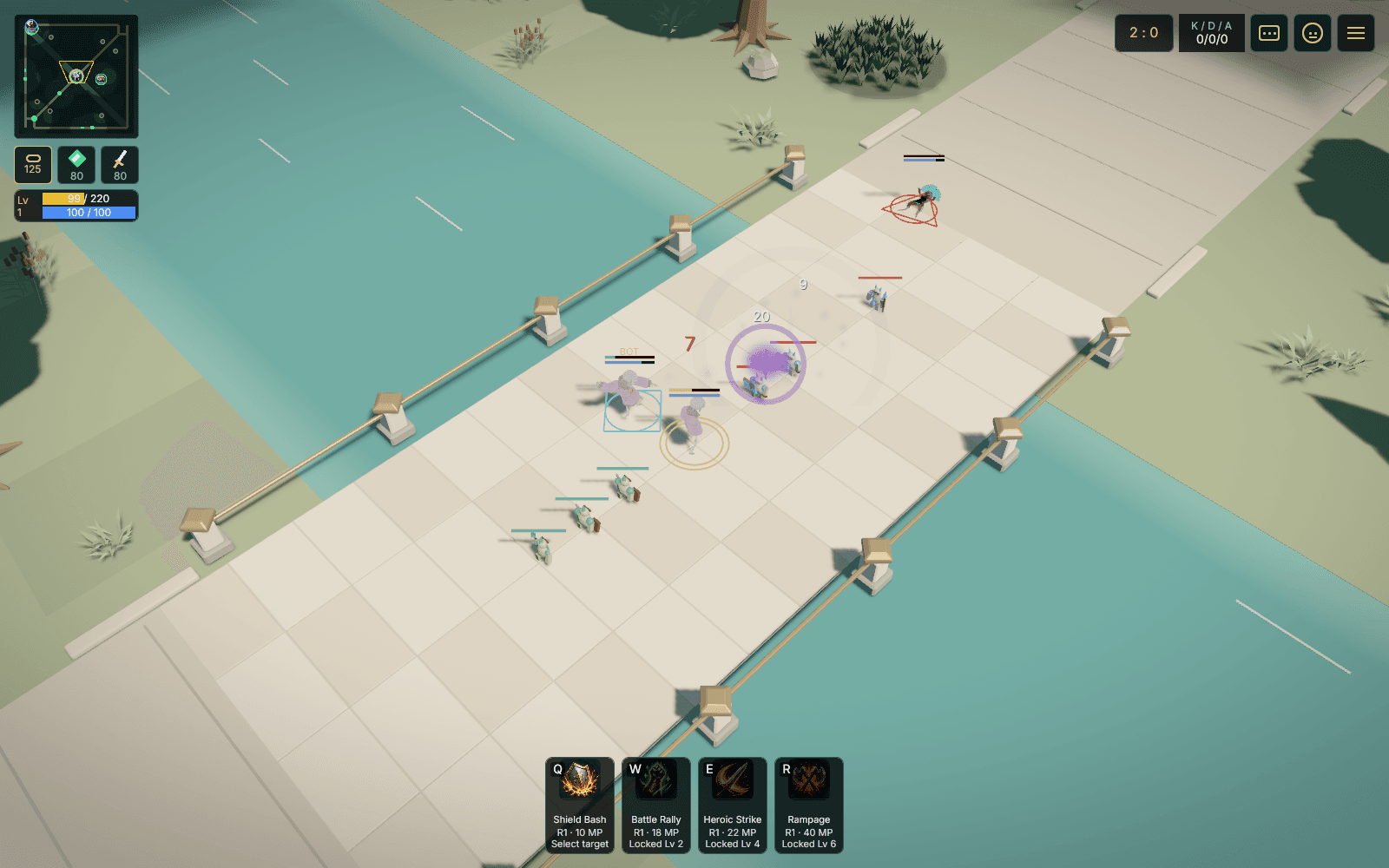
Omoba desktop test build: heroes and minions clash on a lane in the Verdant Confluence arena
Inside Verdant ConfluenceEarlier desktop capture · September 7, 2026

Desktop + mobile

One game. Two ways to play.

Two interfaces, built around the way you play. Both use the same game and match server. We're bringing that shared foundation to phones, with Android and iOS builds in development.

Check platform availability

Mobile interface · development preview

Made for your thumbs.

Move with your left thumb. Attack and aim your skills with your right. Keep the arena in view with a layout designed for landscape phone screens.

  • Independent movement and skill aiming
  • Minimap at the top left; health and mana at the top right
  • Touch-friendly equipment shop and match menus
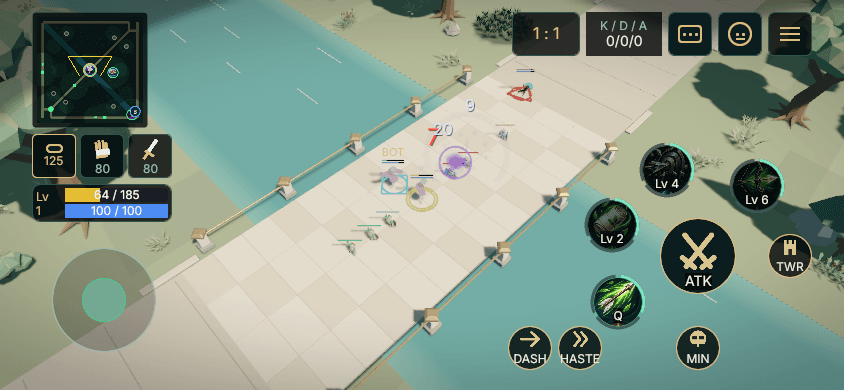
Omoba mobile interface preview with a left movement joystick, attack and skill buttons on the right, and the minimap at the top left
Mobile layout rendered on a computer. Device playtests are next.
Explore the touch shop

Earn gold during the match and return to your base for equipment. Compare damage, speed and survivability, with recommendations for your class.
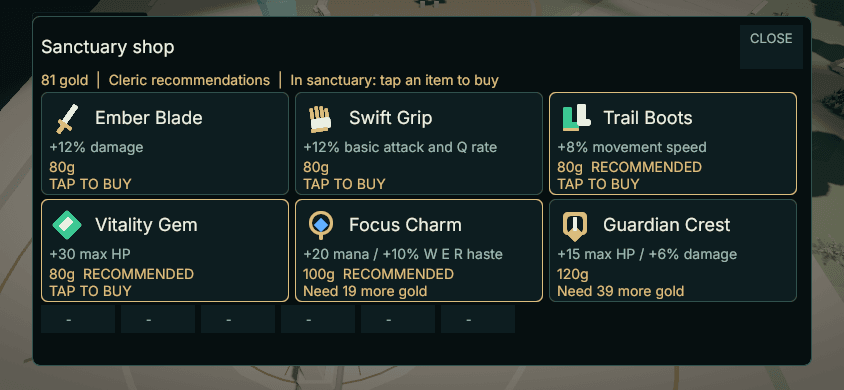
Mobile shop preview with six large equipment cards showing prices, effects and recommendations
Mobile interface preview, captured on desktop · Sanctuary shop · September 2026

Desktop interface · native beta

At home on your desktop.

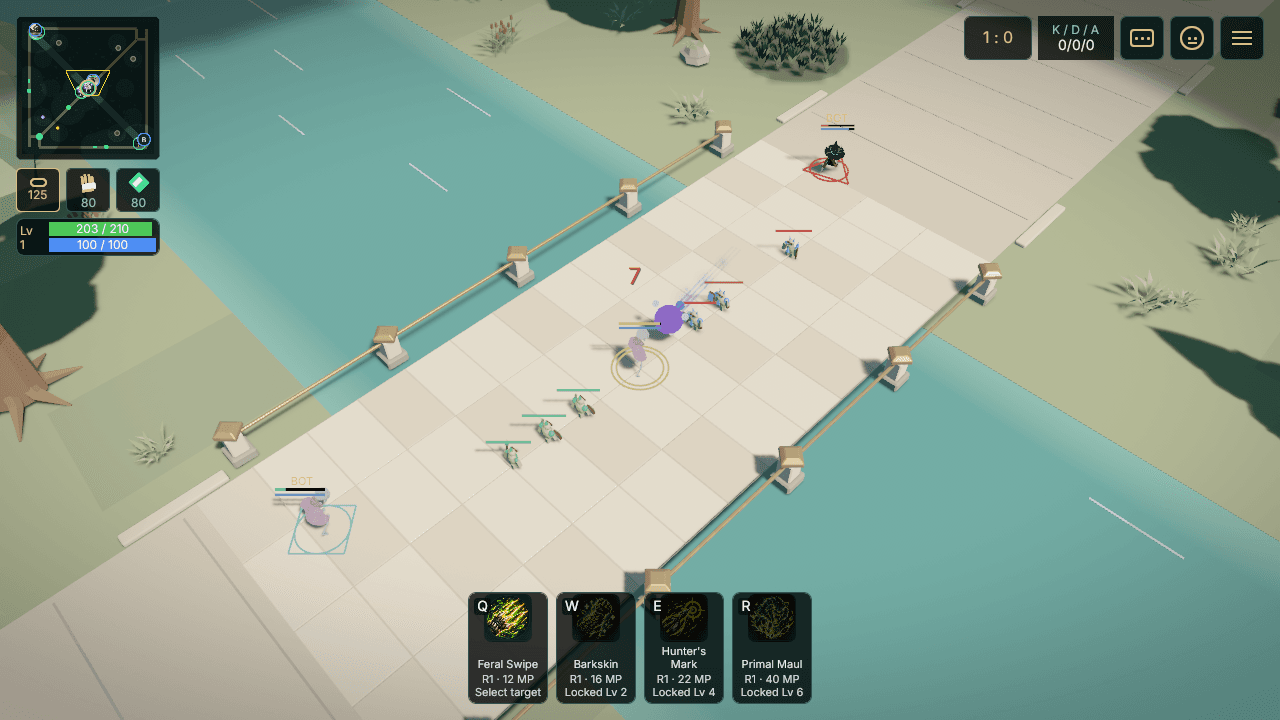
Play with mouse and keyboard, a dedicated ability bar and your equipment close at hand. The computer version keeps its own interface, even in a smaller window.

  • Mouse targeting and keyboard ability shortcuts
  • Dedicated hero, equipment and minimap panels
  • Practice with bots or join a hosted playtest
Omoba desktop beta at the team base with keyboard ability shortcuts along the bottom and the minimap on the right
Native desktop capture from the current beta candidate.
Explore the desktop shop

Earn gold during the match and return to your base for equipment. Compare damage, speed and survivability, with recommendations for your class.
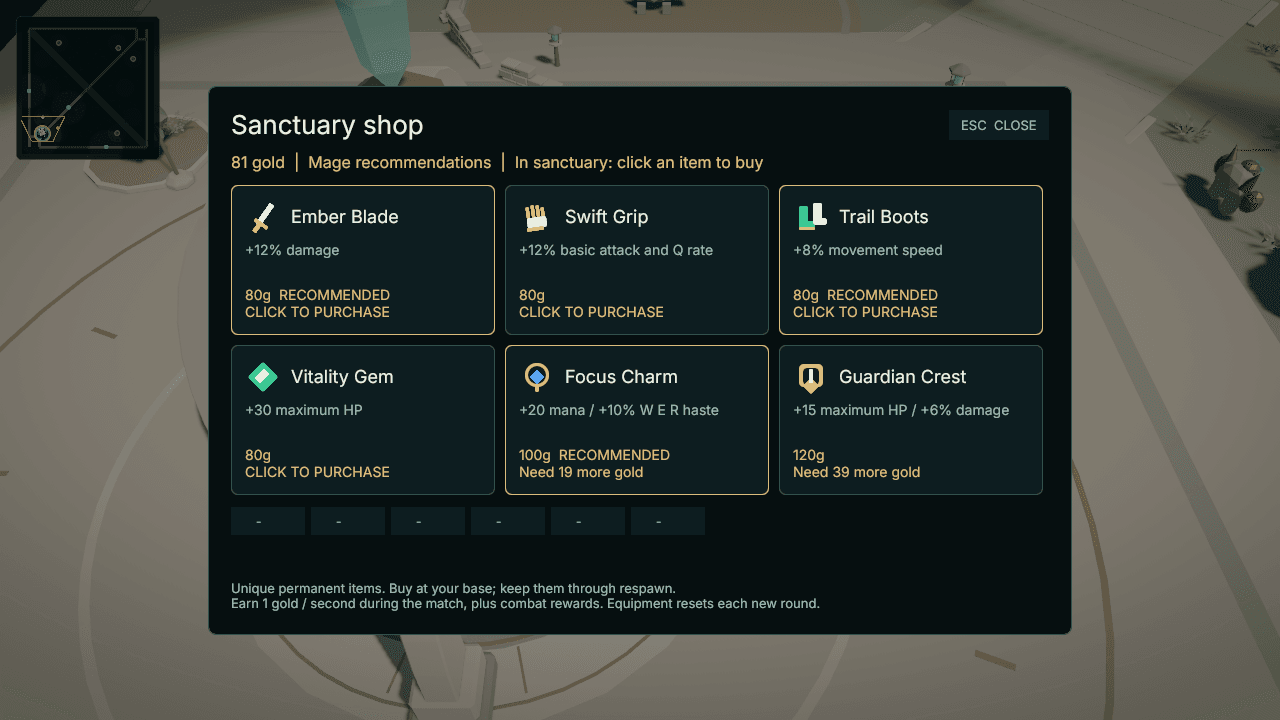
Omoba desktop Sanctuary shop displaying equipment effects, gold costs and class recommendations
Desktop beta · Sanctuary shop · September 2026

Beta access

Your next match starts here.

We're preparing Omoba for more players, starting with small, hosted playtests. Desktop and mobile interfaces already share the same game foundation. Check the build status below; matches with phone and computer players together still need device playtests.

Read the playtest guide

Controlled beta

macOS

Apple silicon · M-series Macs

A desktop test build exists. Public access opens when its download is published here.

Download not published

In development

Android

Our first mobile target

Two-thumb controls, a landscape HUD and touch menus are implemented. Android packaging and device playtests are next.

Mobile testing ahead

In development

iPhone & iPad

Shared mobile interface

The mobile interface and iOS packaging foundation are in the codebase. Device validation and a TestFlight release are still ahead.

Not available yet

Builds pending

Windows & Linux

More desktop players

These versions need their own builds and playtests before we can offer a download.

Not available yet

Follow the next playtest

Release news and playtest updates from Wotori Studio. No sign-up or wallet is needed to follow along.

Follow updates ↗

First playtest

From download to your first lane.

The current test build is a Mac app you run on your computer. This website does not run or launch the game in your browser. A public matchmaking server is not available yet.

Before you start

You need an Apple silicon Mac and Python 3.9 or newer for the included launchers. The test package is not a signed Mac installer. Read its TESTING.md for setup and the build's known limits.

  1. Get the matching build

    There is no public download here yet. Follow the playtest updates; when a package is published, its download will appear above.

  2. Try a practice match

    With the test package installed, open its folder in Terminal and run ./practice.sh. Pick your hero and class, then Join. Bots fill the two teams so you can learn the lanes.

  3. Join your host

    For a group session, your host provides the server address. From the package folder, run ./join-server.sh HOST:PORT using that address. Start on the same local network for the first test.

  4. Push together. Play again.

    Follow your minions, earn gold, and buy equipment at your base. Break a lane tower, then the enemy base. The match resets after the result screen. Tell your host what worked and what felt awkward.

In the current game

One arena. A team to back you.

Verdant Confluence is a three-lane arena with jungle camps, bosses and bases to defend. Play a complete round, see the result, and start another round together. Early testers help us shape the controls, pacing and balance.

Fight for the lanes

Join two teams of five. Escort minions, break a lane tower, then take down the enemy base. Respawn and return to the fight when you fall.

Find your role

Play Warrior, Mage, Ranger or Cleric. Unlock four abilities, earn gold and choose equipment at your base. Learn in a practice match with bots.

Where we're headed

Roadmap

First, make the match feel good. Then bring more players in. These are milestones, not promised launch dates.

Controlled beta

Desktop test build

A controlled Mac build with complete matches, bots, equipment and rematches. Downloads open here when a package is published.

In progress

Built for thumbs

Two-thumb controls, a landscape HUD and touch menus are implemented. Android is the first phone target; packages and real-device playtests come next.

Next playtests

Play together

Bring phone and computer players into the same matches. Test connection recovery, performance and fair controls before wider access.

Longer term

An open arena

More platforms, more players, and tools for community-made heroes and cosmetics. Creator ownership remains part of the long-term vision.

Shared characters, open tools

Ekza SDK

O-MOBA uses Ekza SDK for shared character IDs. Its open-source tools help developers bring compatible 3D characters into Bevy games.

Characters

A consistent identity

Shared IDs let projects that support the SDK refer to the same character consistently. O-MOBA already uses this foundation.

Models

More uses for your art

Tools for checking and loading GLB models help developers reuse compatible character art and adapt it to each game.

Build with Ekza SDK

Explore the Rust SDK, model tools and Bevy examples.

Explore ekza-bevy-sdk

In the beta: play with the included avatar roster. Easier in-game character imports are a future step.

Part of Ekza Space. Built by Wotori Studio.

Help shape the next match

Your feedback. Our next move.

Follow the playtests, tell us how the game feels, or help build it. Omoba grows with the people who play.