Skip to content
OMOBA
Beta in the making · open source

Find your team.
Make your play.

Pick a hero, push the lanes, and fight for the enemy base. OMOBA is an open-source MOBA with dedicated desktop and mobile interfaces, built on a shared game and match server. Explore the desktop beta and our first mobile interface preview.

Open player app ↗Your match history →

Mouse & keyboard · Two-thumb controls · Ekza SDK integration

Team battles
5v5
Hero classes
5
Lanes to push
3
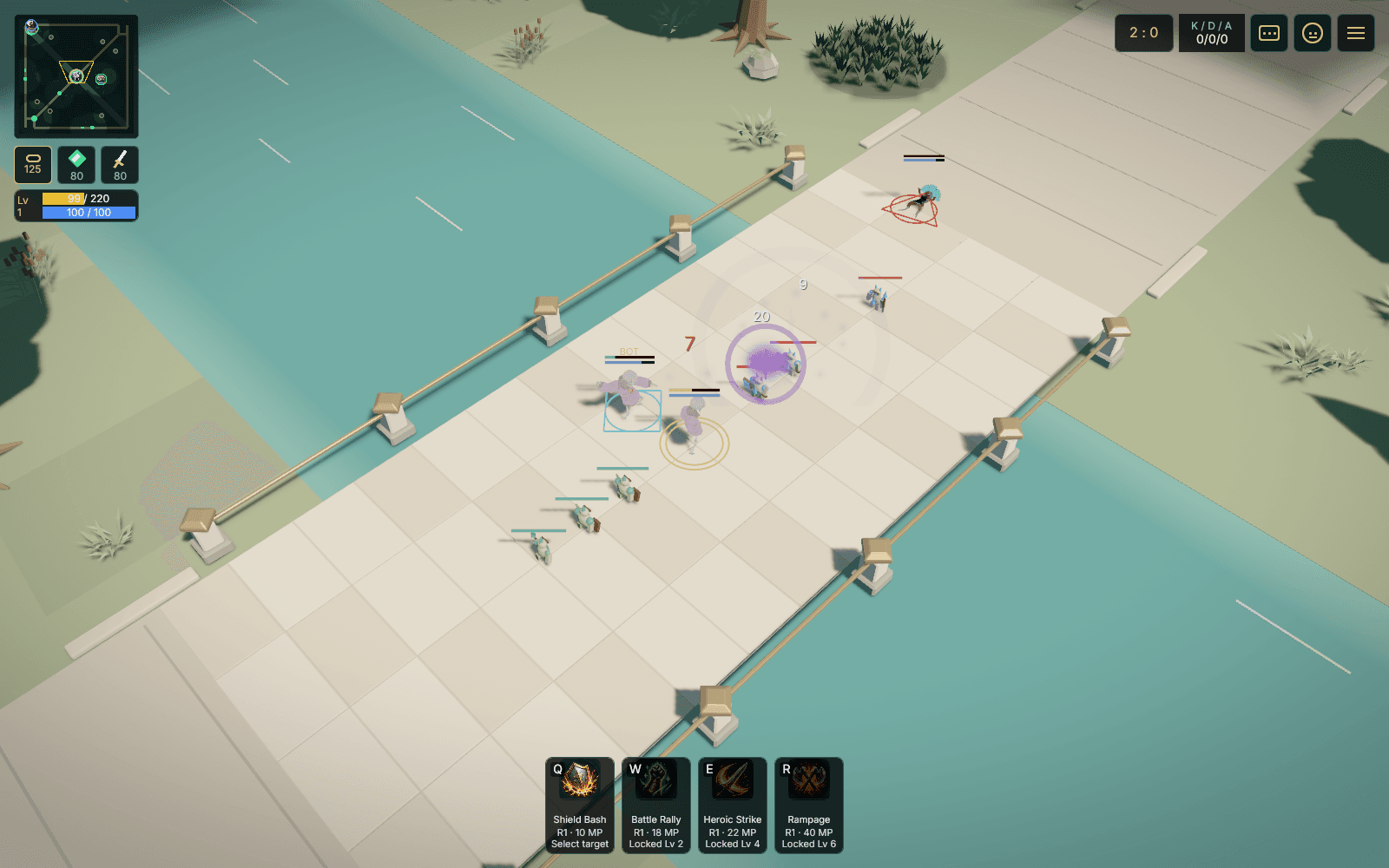
OMOBA desktop test build: a Warrior, allied bots and minions meet the enemy wave on the mid-lane bridge of the Verdant Confluence arena
Inside Verdant ConfluenceDesktop practice match · September 26, 2026

Gameplay trailer

See it in motion.

Captured from build 0.41 in offline practice with bots, at recorded speed (the hero-select tour runs at 1.5×). Phone scenes show the phone interface rendered on a computer.

Desktop + mobile

One game. Two ways to play.

Two interfaces, built around the way you play. Both use the same game and match server. We're bringing that shared foundation to phones: iOS is in TestFlight beta, and Android is in development.

Check platform availability

Mobile interface · development preview

Made for your thumbs.

Move with your left thumb. Attack and aim your skills with your right. Keep the arena in view with a layout designed for landscape phone screens.

  • Independent movement and skill aiming
  • Minimap, health and mana together at the top left
  • Touch-friendly equipment shop and match menus
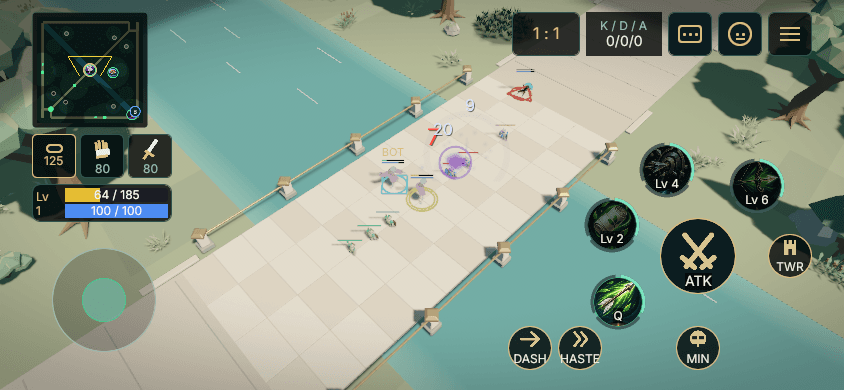
OMOBA phone interface preview: a Ranger fighting on the mid-lane bridge, with the movement joystick at the lower left, attack and skill buttons on the right and the minimap at the top left
Mobile layout rendered on a computer. Device playtests are next.
Explore the touch shop

Earn gold during the match and return to your base for equipment. Compare damage, speed and survivability, with recommendations for your class.
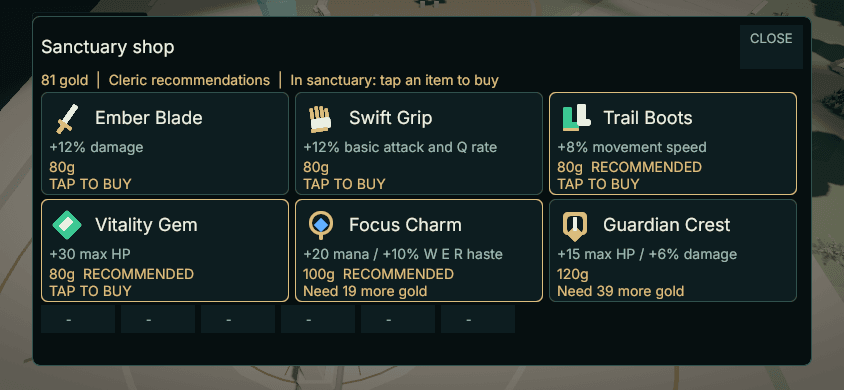
Mobile shop preview with six large equipment cards showing prices, effects and recommendations
Mobile interface preview, captured on desktop · Sanctuary shop · September 2026

Desktop interface · native beta

At home on your desktop.

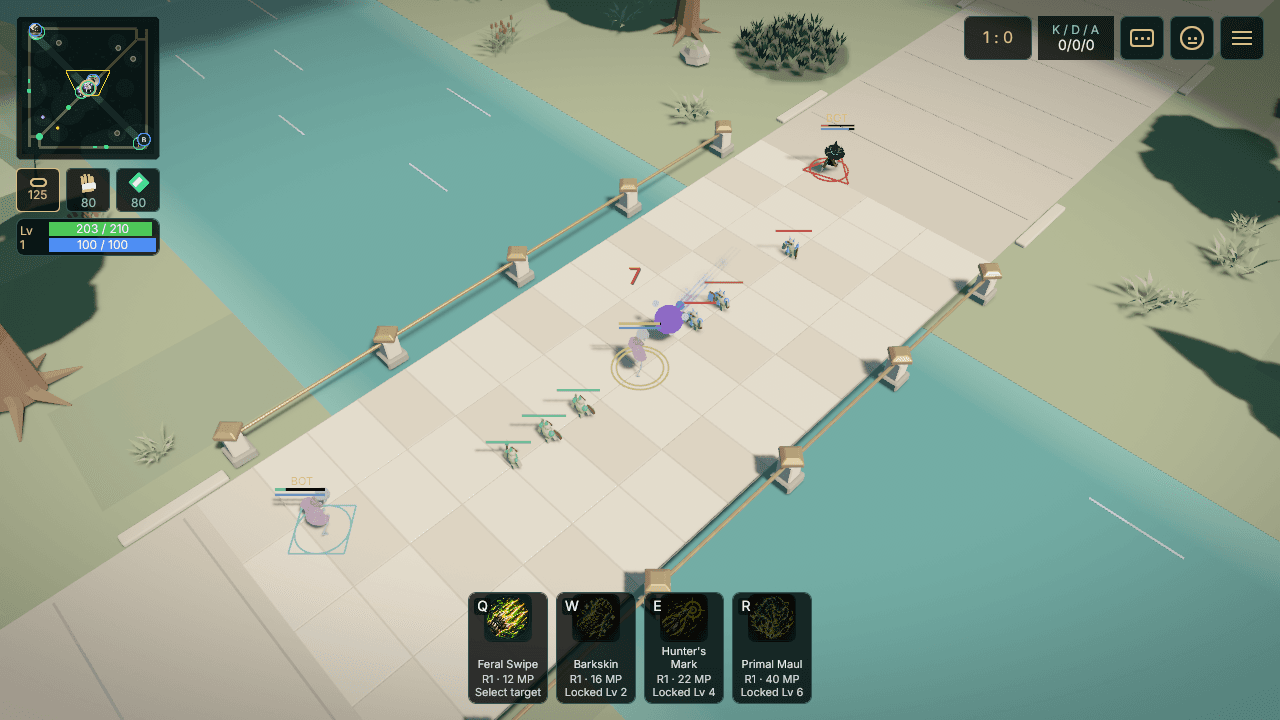
Play with mouse and keyboard, a dedicated ability bar and your equipment close at hand. The computer version keeps its own interface, even in a smaller window.

  • Mouse targeting and keyboard ability shortcuts
  • Dedicated hero, equipment and minimap panels
  • Practice with bots or join a hosted playtest
OMOBA desktop beta: the Warden jungler on the mid-lane bridge as both minion waves meet, with keyboard ability shortcuts along the bottom and the minimap at the top left
Native desktop capture from the current beta candidate.
Explore the desktop shop

Earn gold during the match and return to your base for equipment. Compare damage, speed and survivability, with recommendations for your class.
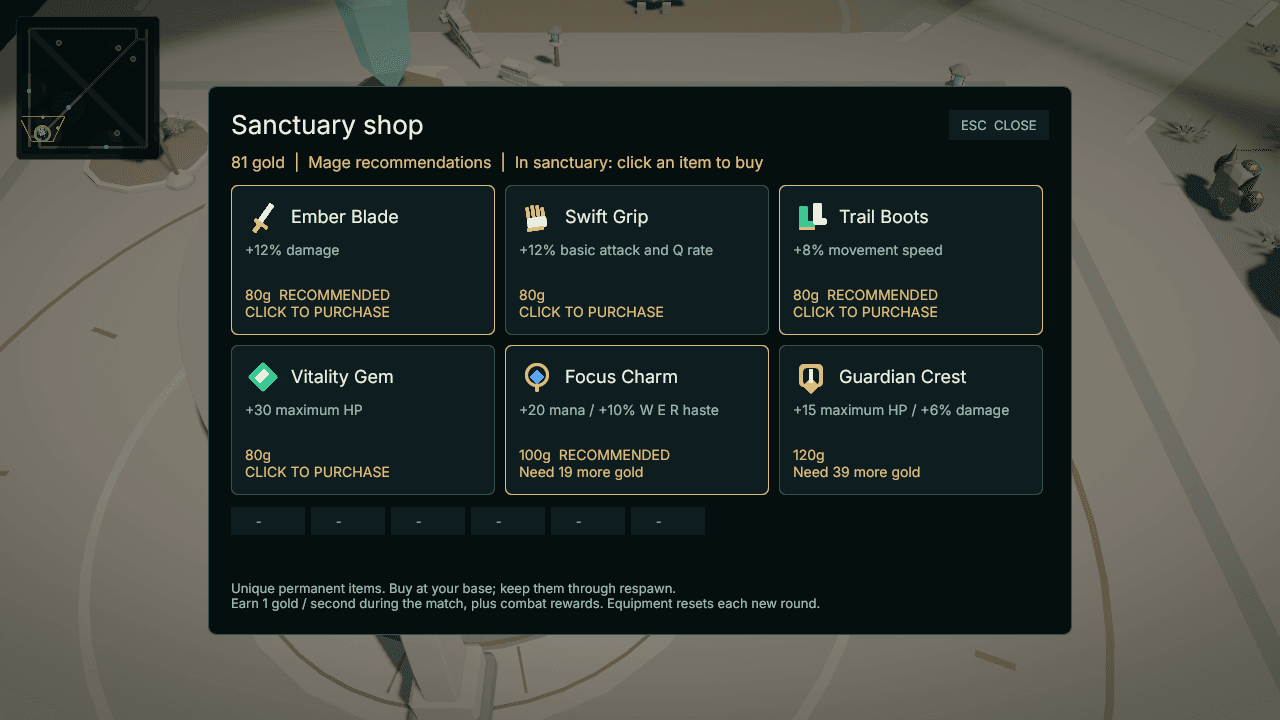
OMOBA desktop Sanctuary shop displaying equipment effects, gold costs and class recommendations
Desktop beta · Sanctuary shop · September 2026

Beta access

Your next match starts here.

We're preparing OMOBA for more players, starting with small, hosted playtests. Desktop and mobile interfaces already share the same game foundation. Check the build status below; matches with phone and computer players together still need device playtests.

Read the playtest guide

Test build · TestFlight

Mobile

Android · iPhone & iPad

Android: an early 0.44.0 APK — allow installs from your browser. iPhone & iPad: leave your email and Apple sends you a TestFlight invite.

OMOBA 0.44.0 · Community Beta 1 — release notes and checksums on GitHub ↗

Follow the next playtest

Join the EKZA | OMOBA Discord for playtests, feedback and people to play with. Follow release news on Telegram, too.

First playtest

From download to your first lane.

Windows, macOS, Linux and Android test builds are available above and connect to the public test server. This website does not run or launch the game in your browser.

Before you start

Windows: 64-bit Windows 10 or 11; the build is unsigned, so confirm the security prompt. macOS: Apple silicon; on first start choose Open Anyway in System Settings → Privacy & Security. Linux: 64-bit with glibc 2.35+ and Vulkan drivers. Android: Android 8 or newer with a Vulkan-capable GPU; allow installs from your browser. These are early test builds — tell us in Discord what breaks.

  1. Get the matching build

    Download the build for your system above. Everyone in a match needs the same version, currently 0.44.0.

  2. Try a practice match

    Start OMOBA, pick your hero and class, then press PLAY VS BOTS. Bots fill the two teams so you can learn the lanes.

  3. Join your host

    To play with friends, open Home → Party & friends, invite them from "Online on this server" and let the party leader start the match. A host's own server address can be entered under SERVER → Change.

  4. Push together. Play again.

    Follow your minions, earn gold, and buy equipment at your base. Break a lane tower, then the enemy base. The match resets after the result screen. Tell your host what worked and what felt awkward.

In the current game

One arena. A team to back you.

Verdant Confluence is a three-lane arena with jungle camps, bosses and bases to defend. Play a complete round, see the result, and start another round together. Early testers help us shape the controls, pacing and balance.

Fight for the lanes

Join two teams of five. Escort minions, break a lane tower, then take down the enemy base. Respawn and return to the fight when you fall.

Find your role

Play Warrior, Mage, Ranger, Cleric or Warden, the jungler who farms the forest. Unlock four abilities, earn gold and choose equipment at your base. Learn in a practice match with bots.

OMOBA · For creators

Your next build
starts here.

Learn what makes a class. Shape how it looks. Put your own skills together. The asset library and class workshop are your starting points for creating in OMOBA.

01 / Discover

Asset library

Know your next creation.

Explore the default class and skill visuals, see the replaceable parts and take a clear design brief into your own art process.

ClassesSkillsDesign briefs
02 / Assemble

Class workshop

Build your way to play.

Combine existing skills into a class build, save a draft in your browser and export it for local Combat Test. Explore a different role before you enter the arena.

Skill loadoutsLocal draftsCombat Test export

01

Find your starting point

Browse the default class and skill visuals. Each brief explains what you can replace and the requirements your art needs to meet.

02

Make it yours

Create a humanoid avatar or a static handheld GLB up to 8 MB. Studio can help prepare a weapon’s grip. Cosmetics keep the combat rules intact.

03

Bring it to the arena

Upload your model with its licence and credits. Technical publication and OMOBA game approval are separate steps; an upload alone does not make it playable.

Keep the brief with your work: Studio uploads are not yet automatically linked to a class or skill. After publication, choose OMOBA under My uploads to request game review. Skill effects and animation replacement are still planned.

Upload in Studio ↗
Read the class visual proposal ↗

Where we're headed

Roadmap

First, make the match feel good. Then bring more players in. These are milestones, not promised launch dates.

Controlled beta

Desktop test build

A controlled Mac build with complete matches, bots, equipment and rematches. Downloads open here when a package is published.

In progress

Built for thumbs

Two-thumb controls, a landscape HUD and touch menus are implemented. Android is the first phone target; packages and real-device playtests come next.

Next playtests

Play together

Bring phone and computer players into the same matches. Test connection recovery, performance and fair controls before wider access.

Longer term

An open arena

More platforms, more players, and tools for community-made heroes and cosmetics. Creator ownership remains part of the long-term vision.

Shared characters, open tools

Ekza SDK

OMOBA uses Ekza SDK for shared character IDs. Its open-source tools help developers bring compatible 3D characters into Bevy games.

Characters

A consistent identity

Shared IDs let projects that support the SDK refer to the same character consistently. OMOBA already uses this foundation.

Models

More uses for your art

Tools for checking and loading GLB models help developers reuse compatible character art and adapt it to each game.

Build with Ekza SDK

Explore the Rust SDK, model tools and Bevy examples.

Explore ekza-bevy-sdk

In the beta: play with the included avatar roster. Easier in-game character imports are a future step.

Part of Ekza Space. Built by Wotori Studio.

Help shape the next match

Your feedback. Our next move.

Follow the playtests, tell us how the game feels, or help build it. OMOBA grows with the people who play.